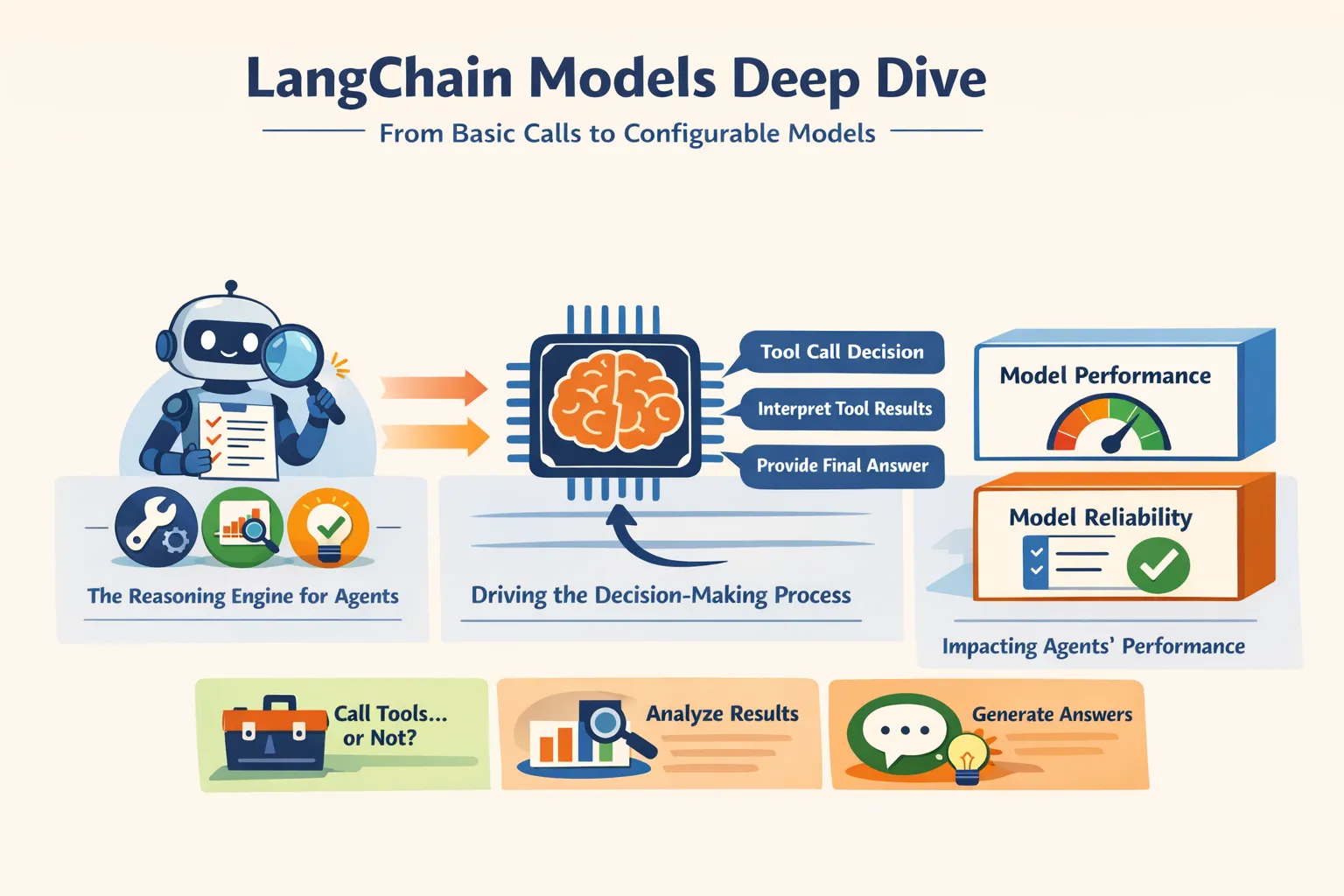
在 LangChain 中,模型不仅用于文本生成,还常常承担四类关键能力:
- Tool calling:调用外部工具,例如数据库查询或 API。
- Structured output:让输出遵循预定义结构,便于后续解析与处理。
- Multimodality:处理或返回图像、音频、视频等非文本内容。
- Reasoning:支持多步推理,并在部分模型中暴露推理过程。(LangChain Docs)
LangChain 为多家主流模型提供商提供统一接口,包括 OpenAI、Anthropic、Google、Azure、AWS Bedrock、HuggingFace 等。这种标准化接口让开发者可以更容易地在不同模型之间切换和比较。(LangChain Docs)
一、Models 的两种使用方式
官方文档指出,Models 在 LangChain 中主要有两种使用方式:
- 与 Agent 配合使用:在创建 Agent 时动态指定模型。
- 独立使用:直接调用模型完成生成、分类、抽取等任务,而不进入 Agent 循环。(LangChain Docs)
这意味着,LangChain 的模型接口既适合快速完成单次任务,也适合逐步演进到更复杂的 Agent 工作流。
二、模型初始化:init_chat_model 是统一入口
文档推荐用 init_chat_model 初始化聊天模型。它是 LangChain 中最直接的独立模型入口,可以选择不同 provider,并通过统一参数传入模型配置。(LangChain Docs)
例如:
from langchain.chat_models import init_chat_model

model = init_chat_model("gpt-5.2")
Anthropic 示例也是同样方式:
from langchain.chat_models import init_chat_model

model = init_chat_model("claude-sonnet-4-6")
LangChain 也支持在 model 参数中直接写入 provider 与模型名组合,或者通过 model_provider 显式指定提供商。比如 Azure、Bedrock、HuggingFace 的初始化方式都体现在同一页示例中。(LangChain Docs)
常见参数
官方列出的通用参数包括:
model:模型名称或标识符;api_key:访问模型服务所需的凭证;temperature:控制输出随机性;max_tokens:限制生成长度;timeout:请求超时时间;max_retries:失败后的最大重试次数。(LangChain Docs)
其中,max_retries 的默认值是 6。文档还明确说明:LangChain 会对网络错误、429 限流错误和 5xx 服务端错误进行自动重试,并使用带抖动的指数退避;像 401、404 这类客户端错误则不会重试。对于运行时间较长且网络不稳定的 Agent 任务,文档建议考虑把该值提高到 10–15。(LangChain Docs)
示例:
model = init_chat_model(
    "claude-sonnet-4-6",
    temperature=0.7,
    timeout=30,
    max_tokens=1000,
    max_retries=6,
)三、三种核心调用方式:invoke、stream、batch
文档把模型调用方式归纳为三类:invoke、stream、batch。这是理解 LangChain Models 的基础。(LangChain Docs)
1)invoke():最直接的调用方式
invoke() 用于一次性获取完整输出。输入既可以是一条消息,也可以是一组消息,用来表达上下文对话。(LangChain Docs)
单条消息示例:
response = model.invoke("Why do parrots have colorful feathers?")
print(response)
多轮对话也可以直接以字典列表形式传入:
conversation = [
    {"role": "system", "content": "You are a helpful assistant that translates English to French."},
    {"role": "user", "content": "Translate: I love programming."},
    {"role": "assistant", "content": "J'adore la programmation."},
    {"role": "user", "content": "Translate: I love building applications."}
]

response = model.invoke(conversation)
print(response)
如果更强调类型清晰,也可以使用消息对象。页面中的示例导入方式是:
from langchain.messages import HumanMessage, AIMessage, SystemMessage然后构造消息列表传给 invoke()。(LangChain Docs)
2)stream():流式输出
对于较长回答,stream() 可以边生成边返回内容,提升交互体验。它返回的是多个 AIMessageChunk,而不是像 invoke() 那样一次性返回完整的 AIMessage。(LangChain Docs)
基础示例:
for chunk in model.stream("Why do parrots have colorful feathers?"):
    print(chunk.text, end="|", flush=True)
文档特别强调:这些 chunk 可以通过累加重新拼装成完整消息。
full = None
for chunk in model.stream("What color is the sky?"):
    full = chunk if full is None else full + chunk
    print(full.text)

print(full.content_blocks)
拼装后的结果可以像 invoke() 返回的消息一样继续参与上下文对话。(LangChain Docs)
除了普通流式文本,LangChain 还支持通过 astream_events() 流式获取语义事件,例如开始、增量输出和结束事件。这种方式更适合需要事件级处理的场景。(LangChain Docs)
3)batch():批量并行调用
batch() 用于将多个独立请求并行发送到模型,以提升吞吐效率。官方页面明确指出,这样做通常可以改善性能,并可能降低成本。(LangChain Docs)
responses = model.batch([
    "Why do parrots have colorful feathers?",
    "How do airplanes fly?",
    "What is quantum computing?"
])
如果希望按“谁先完成谁先返回”的方式处理结果,可以使用 batch_as_completed()。不过文档也提醒:这种模式下结果可能乱序,因此返回值会带有输入索引,便于还原原始顺序。(LangChain Docs)
四、Tool Calling:模型决定调用什么工具
Tool calling 是 LangChain 模型层最关键的能力之一。官方描述很明确:要让模型具备调用工具的能力,先用 bind_tools() 绑定工具;之后在调用中,模型会自行决定是否调用这些工具。(LangChain Docs)
1)绑定工具
from langchain.tools import tool

@tool
def get_weather(location: str) -> str:
    """Get the weather at a location."""
    return f"It's sunny in {location}."

model_with_tools = model.bind_tools([get_weather])
response = model_with_tools.invoke("What's the weather like in Boston?")
如果模型决定调用工具,返回结果中会包含 tool_calls。开发者可以从中读取工具名和参数。(LangChain Docs)
2)工具执行循环
当模型独立使用、而不是运行在 Agent 中时,工具本身不会被自动执行。需要开发者手动完成这个循环:
- 模型先生成工具调用请求;
- 程序实际执行工具;
- 再把工具结果回传给模型,生成最终回答。(LangChain Docs)
文档示例:
model_with_tools = model.bind_tools([get_weather])

messages = [{"role": "user", "content": "What's the weather in Boston?"}]
ai_msg = model_with_tools.invoke(messages)
messages.append(ai_msg)

for tool_call in ai_msg.tool_calls:
    tool_result = get_weather.invoke(tool_call)
    messages.append(tool_result)

final_response = model_with_tools.invoke(messages)
print(final_response.text)
文档还特别指出:工具返回的 ToolMessage 会带有 tool_call_id,与原始工具调用对应,方便模型把结果和请求关联起来。(LangChain Docs)
3)强制工具调用与并行工具调用
默认情况下,模型会自行决定调用哪个工具;但也可以用 tool_choice 约束行为。页面示例展示了 tool_choice="any" 的写法。(LangChain Docs)
model_with_tools = model.bind_tools([tool_1], tool_choice="any")文档还说明,很多模型支持并行工具调用。例如用户一次提问中包含多个彼此独立的查询,模型可能一次生成多个 tool_calls。如果 provider 支持,还可以通过 parallel_tool_calls=False 关闭这一能力。页面中明确提到 OpenAI 和 Anthropic 支持这一控制方式。(LangChain Docs)
4)流式工具调用
工具调用本身也可以以流式方式输出。文档展示了在流式过程中逐步累积完整 tool call 的做法。(LangChain Docs)
五、Structured Output:让模型输出可解析结构
结构化输出的目的,是让模型返回内容与预定义 schema 对齐,从而更方便进入后续处理流程。官方说明中提到,LangChain 支持多种 schema 类型和多种结构化方法。(LangChain Docs)
支持的 schema 形式包括:
- Pydantic
- TypedDict
- JSON Schema (LangChain Docs)
1)Pydantic:能力最完整
官方文档明确指出,Pydantic 提供了最丰富的能力,包括字段校验、字段描述和嵌套结构支持。(LangChain Docs)
from pydantic import BaseModel, Field

class Movie(BaseModel):
    """A movie with details."""
    title: str = Field(description="The title of the movie")
    year: int = Field(description="The year the movie was released")
    director: str = Field(description="The director of the movie")
    rating: float = Field(description="The movie's rating out of 10")

model_with_structure = model.with_structured_output(Movie)
response = model_with_structure.invoke("Provide details about the movie Inception")
print(response)
2)TypedDict:更轻量的替代方案
如果不需要运行时校验,TypedDict 是更简单的选择。(LangChain Docs)
from typing_extensions import TypedDict, Annotated

class MovieDict(TypedDict):
    """A movie with details."""
    title: Annotated[str, ..., "The title of the movie"]
    year: Annotated[int, ..., "The year the movie was released"]
    director: Annotated[str, ..., "The director of the movie"]
    rating: Annotated[float, ..., "The movie's rating out of 10"]

model_with_structure = model.with_structured_output(MovieDict)
response = model_with_structure.invoke("Provide details about the movie Inception")
print(response)
3)JSON Schema:控制力更强
如果需要更高的可移植性与互操作性,也可以直接提供 JSON Schema。官方同时提到,不同 provider 对 structured output 的底层支持方式不同,可能包括:
json_schemafunction_callingjson_mode(LangChain Docs)
其中:
json_schema:使用 provider 原生结构化输出能力;function_calling:通过强制工具调用实现结构化返回;json_mode:部分 provider 的较早方案,只保证输出合法 JSON,但 schema 仍需在提示词中说明。(LangChain Docs)
4)include_raw=True
如果希望在获取解析结果的同时,也保留原始 AIMessage,可以使用 include_raw=True。这样返回结果会同时包含:
rawparsedparsing_error(LangChain Docs)
model_with_structure = model.with_structured_output(Movie, include_raw=True)
response = model_with_structure.invoke("Provide details about the movie Inception")
六、Advanced Topics:模型能力不止于文本生成
Models 页面后半部分列出了一系列高级主题,显示 LangChain 的模型层并不只是“发一个 prompt,收一个文本回答”。(LangChain Docs)
1)Model profiles
文档介绍了 model profile 机制,它可以描述模型支持的能力,并可用于推断一些运行策略。例如:
- summarization middleware 可以根据上下文窗口大小触发摘要;
create_agent中的 structured output 策略可以根据模型能力自动推断;- 模型输入可以依据支持模态和最大输入 token 进行约束。(LangChain Docs)
官方同时说明:Model profiles 仍是 beta 功能,格式后续可能变化。(LangChain Docs)
2)Multimodal
如果底层模型具备多模态能力,LangChain 聊天模型支持以 content blocks 的形式传入和返回非文本内容。页面列出三类支持格式:
- 跨 provider 的标准格式;
- OpenAI chat completions 格式;
- provider 原生格式。(LangChain Docs)
如果模型返回多模态结果,AIMessage.content_blocks 中也会出现对应类型,例如图片块。(LangChain Docs)
3)Reasoning
文档指出,很多模型支持多步推理;如果底层模型允许,开发者可以把推理过程显式暴露出来,以便更好理解模型是如何得到结论的。页面示例就是在流式输出中筛选 type == "reasoning" 的 content block。(LangChain Docs)
同时,文档也提到:不同模型可能允许配置不同级别的 reasoning effort,或直接关闭 reasoning;配置形式可能是离散档位,也可能是 token 预算。具体要看对应 provider 页面。(LangChain Docs)
4)Local models
LangChain 支持在本地硬件上运行模型。页面提到,数据隐私要求高、需要自定义模型、或希望避免云端调用成本时,本地模型是有价值的选项;其中 Ollama 是比较容易上手的方案之一。(LangChain Docs)
5)Prompt caching
页面把 prompt caching 分成两类:
- 隐式缓存:命中缓存时 provider 自动反映成本收益,例如 OpenAI、Gemini;
- 显式缓存:由开发者手动指定缓存点,例如
ChatOpenAI的prompt_cache_key,以及 Anthropic、Gemini、AWS Bedrock 的对应能力。(LangChain Docs)
文档还提醒:缓存通常只有在输入超过一定 token 门槛后才会触发,而且缓存使用情况会体现在模型响应的 usage metadata 中。(LangChain Docs)
6)Server-side tool use
有些 provider 支持 server-side tool-calling loops:模型可以在服务端单轮对话中直接调用网页搜索、代码解释器等工具,并分析结果。LangChain 会把这些调用与结果以 provider-agnostic 的 content blocks 形式暴露出来。(LangChain Docs)
这与前面的用户自定义工具调用不同:这里的工具循环发生在 provider 侧,而不是应用侧。(LangChain Docs)
七、运行控制:限流、代理、logprobs、用量追踪
1)Rate limiting
很多 provider 都有限流。LangChain 在模型初始化时支持传入 rate_limiter,用于控制请求节奏。官方页面示例使用的是内置的 InMemoryRateLimiter,并明确说明它是线程安全的,可在同一进程中被多个线程共享。(LangChain Docs)
from langchain_core.rate_limiters import InMemoryRateLimiter

rate_limiter = InMemoryRateLimiter(
    requests_per_second=0.1,
    check_every_n_seconds=0.1,
    max_bucket_size=10,
)

model = init_chat_model(
    model="gpt-5",
    model_provider="openai",
    rate_limiter=rate_limiter
)
2)Base URL 与代理
如果目标服务实现了 OpenAI Chat Completions API,可以通过 base_url 接入自定义兼容端点。页面举例提到 Together AI、vLLM 等兼容接口。(LangChain Docs)
model = init_chat_model(
    model="MODEL_NAME",
    model_provider="openai",
    base_url="BASE_URL",
    api_key="YOUR_API_KEY",
)
如果需要 HTTP 代理,某些集成支持 provider 特定参数。例如页面中的 ChatOpenAI 示例使用 openai_proxy。不过文档也强调:代理支持是否可用取决于具体集成。(LangChain Docs)
3)Log probabilities
部分模型支持返回 token 级别的 log probabilities。文档给出的方式是初始化后再 .bind(logprobs=True),然后从 response.response_metadata["logprobs"] 读取。(LangChain Docs)
model = init_chat_model(
    model="gpt-4.1",
    model_provider="openai"
).bind(logprobs=True)

response = model.invoke("Why do parrots talk?")
print(response.response_metadata["logprobs"])
4)Token usage
LangChain 提供了 get_usage_metadata_callback() 来聚合 token 使用情况。页面展示了同时统计多个模型调用用量的方式。(LangChain Docs)
from langchain.chat_models import init_chat_model
from langchain_core.callbacks import get_usage_metadata_callback

model_1 = init_chat_model(model="gpt-4.1-mini")
model_2 = init_chat_model(model="claude-haiku-4-5-20251001")

with get_usage_metadata_callback() as cb:
    model_1.invoke("Hello")
    model_2.invoke("Hello")
    print(cb.usage_metadata)
八、Invocation config:把调用过程纳入可追踪上下文
页面专门列出了 config 参数,也就是基于 RunnableConfig 的运行时配置。它能在调用时传入额外的执行控制信息,例如:
run_nametagsmetadatacallbacksmax_concurrencyrecursion_limit(LangChain Docs)
示例:
response = model.invoke(
    "Tell me a joke",
    config={
        "run_name": "joke_generation",
        "tags": ["humor", "demo"],
        "metadata": {"user_id": "123"},
        "callbacks": [my_callback_handler],
    }
)
官方特别指出,这些配置在以下场景中很有用:
- 使用 LangSmith 调试;
- 做自定义日志和监控;
- 在生产环境中控制资源使用;
- 跟踪复杂流水线中的调用。(LangChain Docs)
九、Configurable models:运行时切换模型与参数
Models 页面的最后一个重要主题,是 可配置模型。LangChain 允许你创建一个运行时可切换的模型对象,并在调用时通过 config["configurable"] 覆盖模型与参数。(LangChain Docs)
1)不预设具体模型
from langchain.chat_models import init_chat_model

configurable_model = init_chat_model(temperature=0)

configurable_model.invoke(
    "what's your name",
    config={"configurable": {"model": "gpt-5-nano"}},
)

configurable_model.invoke(
    "what's your name",
    config={"configurable": {"model": "claude-sonnet-4-6"}},
)
文档说明:如果没有显式指定模型,那么 model 与 model_provider 默认就是可配置项。(LangChain Docs)
2)限制哪些参数可配置,并加前缀
还可以用 configurable_fields 指定哪些参数允许在运行时被覆盖,并通过 config_prefix 给参数加命名前缀,尤其适合一个链路里有多个模型实例的情况。(LangChain Docs)
first_model = init_chat_model(
    model="gpt-4.1-mini",
    temperature=0,
    configurable_fields=("model", "model_provider", "temperature", "max_tokens"),
    config_prefix="first",
)

first_model.invoke(
    "what's your name",
    config={
        "configurable": {
            "first_model": "claude-sonnet-4-6",
            "first_temperature": 0.5,
            "first_max_tokens": 100,
        }
    },
)
3)可配置模型也能继续绑定工具或结构化输出
文档最后强调:可配置模型并不是“特殊模型对象”,它依然可以像普通 chat model 一样继续调用 bind_tools、with_structured_output 等声明式方法。(LangChain Docs)
总结
如果只看 LangChain 官方这一个 Models 页面,可以把它理解为这样一层抽象:
- 它用统一接口屏蔽了不同 provider 之间的差异;
- 它把模型调用归纳为
invoke、stream、batch三种基本模式; - 它把 Tool calling、Structured output、Multimodal、Reasoning 这些高级能力收敛到同一模型接口之下;
- 它还进一步提供了 rate limiting、token usage、invocation config、configurable models 等运行时控制能力。(LangChain Docs)
换句话说,Models 不是单纯的“模型封装层”,而是 LangChain 中连接“模型能力”和“应用编排”的关键接口。对于独立调用场景,它提供了统一、直接的调用体验;对于 Agent 场景,它则承担了推理、工具选择与上下文处理的基础角色。(LangChain Docs)